
Hoops & frames
A hoop frame draws the boundary of your embroidery hoop on the canvas, so you can see at a glance whether a design fits the machine and hoop you’ll sew on. It’s a visual guide — it isn’t stitched or exported.
Turning on a hoop frame
Section titled “Turning on a hoop frame”Enable the hoop frame and it appears as a dashed rectangle centred on the canvas origin. You set its width and height in millimetres to match your hoop, give it a name and colour, and toggle its visibility while you work. The default frame is 180 × 130 mm.
There are no hoop presets — you type in your hoop’s dimensions. Once you’ve set a size you like, hit Set as default size and Octostitch remembers it, applying that size to new hoop frames from then on (saved to your preferences, so it persists between sessions). In practice it just keeps using whatever size you last made your default.
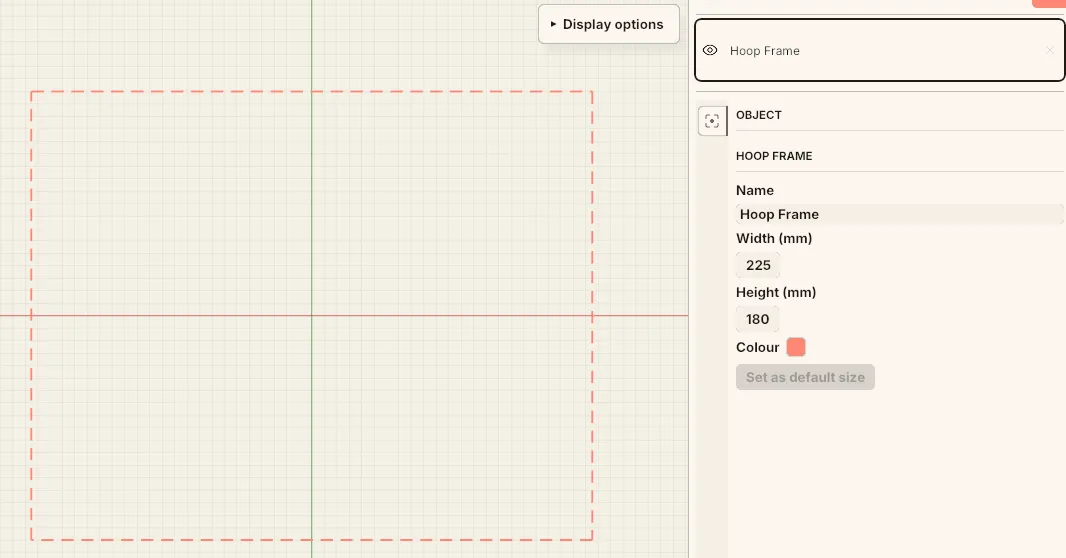 A 225 × 180 mm hoop frame — name, size, colour and Set as default size, with the dashed outline drawn on the canvas.
Fitting a design to the hoop
Section titled “Fitting a design to the hoop”Keep your design comfortably inside the dashed outline. Anything outside it won’t be inside the machine’s sewing area.
The hoop frame is a manual visual guide — position your design inside it by eye; Octostitch doesn’t stitch or export the frame.