
Manual stitch
A manual object is a run of stitches you place point by point, rather than having Octostitch generate them from a path and settings. It gives you complete, stitch-by-stitch control.
Placing stitches
Section titled “Placing stitches”- Arm the Manual create button in the toolbar (this switches to the Pen tool).
- Click on the canvas to place each stitch point in turn.
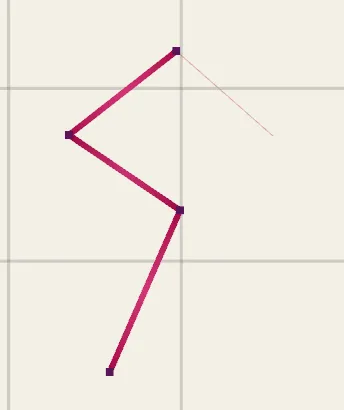 Every click is one stitch point; the thread runs straight from the previous point to the new one.
Each click is one needle penetration; the thread runs straight from the previous point to the new one. Unlike other stitch types, a manual object stores its stitch points directly as the source of truth.
Editing manual stitches
Section titled “Editing manual stitches”Use the Edit tool to move manual points, and you can select
multiple points at once to move them together. The Pen tool adds a point, and
Delete removes the selected one.
Converting to a path
Section titled “Converting to a path”Convert to Bézier path, in the Stitch group, turns a manual run into an editable path with sharp corners, stitched as a running stitch. It’s the escape hatch for when a run you placed by hand turns out to want a curve, a different density, or a different stitch type entirely — you keep the shape you placed and get the parametric settings back.
Converting the other way
Section titled “Converting the other way”Any generated object can go the other way with Bake to manual stitches, in the side panel’s Modify group. That freezes the stitches Octostitch currently generates into editable points and switches the object to Manual, so you can nudge individual needle positions.
Baking is one-way — the path, shape parameters and stitch settings are discarded, and the points become the source of truth. Keep a copy of the object first if you might want to go back.
When to use manual
Section titled “When to use manual”Reach for manual stitching when the automatic stitch types can’t get you exactly what you want:
- Fixing up a specific area — closing a small gap, adding a few securing stitches.
- Fine detail like eyes, whiskers or highlights.
- Deliberate effects (hand-look running lines, scattered tacks) that don’t follow a regular fill or column.